

You can easily find a public WiFi in restaurants, cafes, parks, airports, and even at shopping malls today. Most people believe that public WiFi is free. Technically, it is, since we don’t have to pay a dime for it (ya que no tenemos que pagar ni un centavo por ello).
But sometimes, public WiFi users pay a heavy price, with their data. Public WiFi is an open network, and anyone can access it, including hackers. And, the worst part is that people might never know if they’re connecting to a safe or unsecured network.
Having said that, some preventive measures can help you safely connect to any public WiFi, which I’ll discuss in this article. However, before I discuss those safety measures, let me explain a few ways to stay connected without using public WiFi.
How to Stay Online Without Using Public WiFi
Use Mobile Hotspot
Mobile hotspots are a much faster and secure way to connect to the internet than public WiFi. However, a major drawback of using a mobile hotspot is the cost. Most people are financially constrained (La mayoría de las personas tienen limitaciones económicas), and they might not have the leverage to spend a handsome amount every month on mobile hotspots.
So, while mobile hotspots are a feasible option, it’s also a fact that not everyone can afford them.
Connect To Your ISP-Provided Hotspots
There’s no need to worry if you cannot afford to use a mobile hotspot in public. I don’t prefer them either, because why spend money on the mobile data when I can easily connect to the free hotspot zones provided by my internet service provider (ISP).
I’ve subscribed to Optimum Internet and get access to more than a million nationwide hotspot zones in the country. The best thing about Optimum’s hotspot zones is that they’re free, faster, dedicated, reliable, and more secure than public WiFi.
Plus, if I ever have trouble finding a free hotspot nearby, I can just call Optimum servicio al cliente and they’ll help me locate one.
That said, these two options can help you stay connected without relying on any public WiFi. However, if you still want to use public WiFi, let me explain how it can be done without compromising your device or data stored on it.
Tips to Safely Use Public WiFi
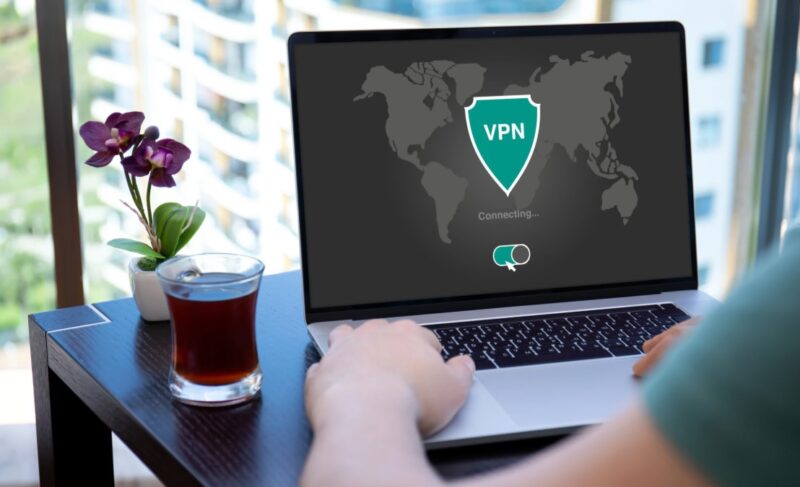
There are several preventive measures you can take before connecting to public WiFi. I’ll explain them below:
Use a VPN
You should always connect to a virtual private network (VPN) before connecting to a public WiFi. It’s because when you connect to a VPN, it creates an encrypted tunnel between your device and its server.
All the data coming in or going out of your device first moves through this encrypted tunnel, and then heads to its destination (y luego se dirige a su destino).
Plus, a VPN also changes the original IP address of your device and assigns it a new one. While this doesn’t make your device anonymous on the internet, it becomes extremely difficult for bad actors to pinpoint it.
This way, even if you connect to a malicious network, a VPN will ensure top security for your device, for sure.
Only Open Secure Websites
It’s highly recommended that you only open secure websites while connected to the public WiFi. I believe most people don’t even know the difference between secure and unsecure websites. Well, let me explain how you can easily identify a secure website.
Websites that implement security protocols for their safety usually start with “HTTPS”. On the other hand, an unsecure website that doesn’t take any safety measures starts with “HTTP” (comienza con “HTTP”).
That said, most people can easily overlook this minor difference, and it’s best to keep it in mind, especially when you’re connected to a public WiFi.
Use Anti-Virus Software
A quality anti-virus tool can secure your device in two ways. Firstly, it can prevent malware, viruses, or other harmful content from entering your device. It can actively scan the incoming data and effectively block content harmful to your device.
Secondly, even if a malware or virus successfully enters your device, an anti-virus tool can root them out of your device (Una herramienta antivirus puede eliminarlos de su dispositivo). So, when you’re done using a public WiFi, always run an anti-virus scan on your device to ensure that no malware hides inside it.
Don’t Access Sensitive Information

It’s never a good idea to open any application containing sensitive information on public WiFi. Banking, social media, and work-related apps contain crucial information. And, bad actors can use it in any way they want once they get hold of it.
That said, even if you’re connected to a VPN or taking every protective measure, refrain from accessing such information. You might never know how strong malware or a virus is. So, just to be on the safe side, don’t access such information while connected to a public WiFi.
Frequently Asked Questions
Conclusion
Public WiFi can be a convenient way to stay connected, but it’s also one of the easiest gateways for hackers to access your personal data. Using tools like VPNs, antivirus software, and secure websites can make a big difference in keeping your information safe.
Always stay alert when connecting to any open network and avoid sharing sensitive information while online. A few extra precautions can protect you from serious privacy and security risks.