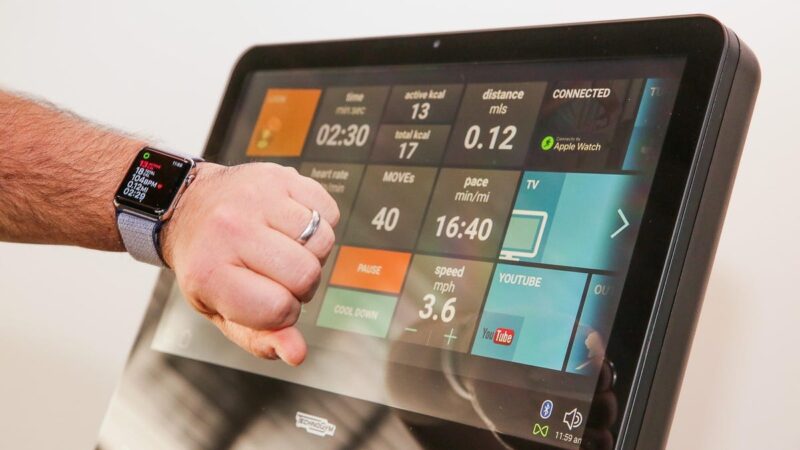
Many modern training studios no longer rely on whiteboards filled with handwritten exercises. Instead, large screens guide participants through workouts, displaying timers, exercises, and movement demonstrations in real time.
Digital workout displays have become a common part of group fitness environments because they simplify communication and improve class flow. Fitness facilities increasingly use digital signage systems to show schedules, workouts, and training instructions across the gym floor, allowing staff to update information instantly and keep members informed.
For gym owners and coaches, workout display software provides a structured way to manage sessions while keeping participants engaged. The guide below explains how these systems work, which features matter most, and how to set up a multi screen training room effectively.
What Workout Display Software Actually Does
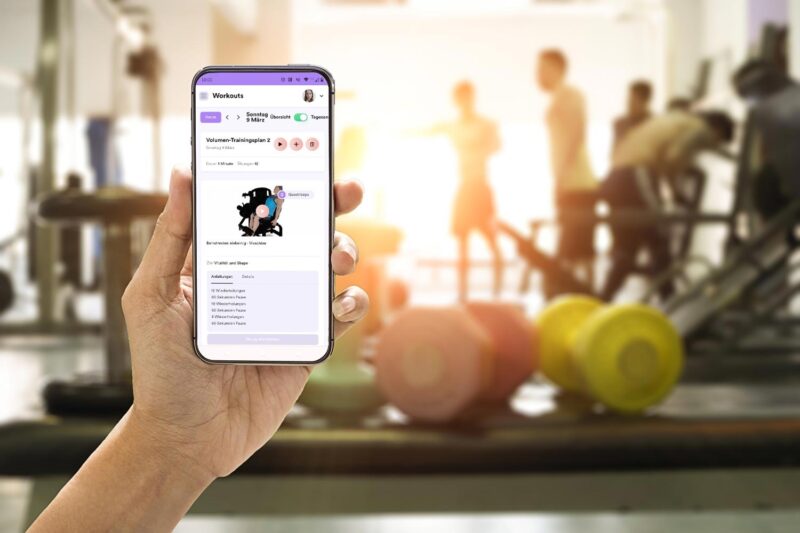
Workout display software acts as the control center for digital screens inside a training room. Instead of relying on printed programs or manual explanations, instructors can display the entire structure of a class on TVs or monitors around the space.
Most platforms allow coaches to prepare workouts ahead of time and manage them from a phone, tablet, or web dashboard. Exercises, timers, and movement demonstrations can be shown simultaneously across multiple screens so participants always know what comes next.
Many gyms integrate display software with their scheduling tools as well. In facilities that already use Workout Display, the system can automatically sync class schedules and participant information with the workout display system, allowing instructors to manage sessions and bookings from a single platform.
Because the system operates centrally, one coach can control several screens across a studio at the same time. This makes it possible to run organized group sessions without constantly stopping the workout to explain the next movement.
Digital signage platforms allow gyms to update workout content, schedules, and announcements instantly across screens, which significantly reduces the need for printed schedules or manual updates.
Key Features To Look For In Workout Display Software

Not all workout display systems offer the same capabilities. Gym owners should focus on a few core features that directly improve class organization and coaching efficiency.
A strong platform typically includes the following tools:
- Multi screen display management that lets one coach control several screens simultaneously
• Workout builder tools for creating class structures in advance
• Exercise video libraries to demonstrate movements clearly
• Interval timers for formats such as EMOM, Tabata, and AMRAP
• Mobile or tablet control so instructors can manage sessions from anywhere in the room
Exercise libraries are particularly useful for beginner friendly classes. When participants see a short movement demonstration on screen, they understand the exercise faster and require fewer verbal explanations.
Timers also play a crucial role. Many group workouts depend on strict time intervals, and synchronized countdown timers ensure every participant moves between stations at the same moment.
Multi-Screen Layout Options For Training Rooms

The biggest advantage of workout display software appears when gyms use multiple screens throughout a training room. Instead of relying on one central display, the system can distribute information across several zones.
Common multi screen layouts include:
- Station based screens where each workout station has its own display
• Central display plus side screens that mirror the main workout timer
• Zone based displays separating strength, cardio, and recovery areas
This approach helps larger group classes stay organized. Participants do not need to crowd around a single whiteboard to read instructions. Instead, each training area displays exactly what that station requires.
| Layout Type | Best For | Typical Setup |
|---|---|---|
| Station Screens | Circuit training | One screen per station |
| Central Display | Bootcamp classes | Large front screen |
| Zone Displays | Hybrid gyms | Different content per area |
After installing a layout like this, participants simply look at the nearest screen to follow the workout flow.
Content Types Displayed On Gym Screens
Workout display software is not limited to exercise instructions. Most systems allow gyms to show several types of content depending on the time of day or type of class.
During training sessions, the screens typically display structured workout information. Between classes, the same screens can serve as communication tools for members.
Common content examples include:
- Workout of the day instructions
• Exercise demonstration videos
• Countdown timers and interval clocks
• Class schedules or upcoming sessions
• Performance leaderboards for competitive workouts
Digital signage platforms also help fitness centers communicate with members more effectively by displaying schedules, announcements, and motivational content across the facility.
Some gyms even rotate promotional messages, nutrition tips, or community challenges between sessions to keep the environment engaging.
Benefits For Coaches And Participants

The real value of workout display software appears during busy group classes. When instructions are visible on screens, coaches spend less time explaining and more time coaching.
For instructors, the main advantages include:
- Less repetition when explaining exercises
• Clear class structure visible to everyone
• Easier class management during large sessions
Participants benefit just as much. Screens provide constant visual guidance so people can focus on their training instead of wondering what comes next.
Research on digital training tools has also shown that visual feedback and structured digital guidance can increase engagement and participation in workouts. A study examining digital training applications found that video demonstrations and feedback features significantly improved training frequency among users.
Clear instructions and visible timers help participants stay focused and maintain the intended pace of the workout.
Hardware Needed For Multi Screen Workout Systems
Setting up a multi screen workout display system does not require complicated equipment. Most gyms can build the system using hardware they already own.
A typical setup includes several basic components:
- TVs or large monitors mounted around the training area
• Media players or smart TV apps that run the display software
• Stable Wi Fi or network connection
• Wall mounts or ceiling mounts for visibility
Some platforms allow the software to run directly on smart TVs. Others use small media devices connected through HDMI. Once connected to the network, the displays receive workout instructions from the central control dashboard.
Many installations can be completed within an hour, especially when the facility already has screens installed.
Setup Checklist For Multi Screen Workout Rooms

Before installing a workout display system, it helps to plan the layout carefully. A few practical steps make the difference between a smooth class experience and constant technical frustration.
Gym managers should confirm the following points before installation:
- The number of screens required for full room coverage
• Proper screen placement and viewing angles
• A stable internet connection for all devices
• Compatibility with TVs, tablets, or media players
• A control device such as a tablet used by the coach
When screens are placed correctly, every participant can see instructions without leaving their training station.
Did you know?
Large fitness studios sometimes run as many as 10 to 15 displays within a single training room so different workout zones can show unique instructions simultaneously.
Planning the screen layout ahead of time ensures the system supports the workout format rather than interrupting it.
Final thoughts
Workout display software has become a practical tool for modern training facilities. Clear visual instructions, synchronized timers, and structured workouts help group sessions run smoothly without constant interruptions.
Multi screen setups improve visibility across the room and allow gyms to organize larger classes more effectively. Coaches can focus on technique and motivation instead of repeating instructions, while participants benefit from clear visual guidance.
Also read: Fitness Equipment For Home Workout
For any gym running circuit training, bootcamp classes, or group strength sessions, implementing a well planned workout display system can dramatically improve the overall training experience.